



To DNG or not to DNG?
One of the great things about DSLRs is that you can shoot in RAW format. This is essentially a digital negative and allows you much more freedom in post processing and prevents image degradation. The problem with the RAW format is that everyone and their dog has their own proprietary type, and they keep changing it.
I was reading an excellent article about digital workflow at Pro Photo Life and the subject of data preservation came up. What good is properly archiving your RAW files, if in 10 years no software can handle them?
This naturally lead to the DNG format.
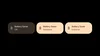
DNG is a "universal" RAW format for Cameras developed by Adobe. In fact they have recently submitted the format as an ISO standard (DNG submitted to the ISO). DNG has been around for a while now, and Adobe offers a free conversion tool (windows version, mac version) to convert your original RAW files. you can also do this in Adobe Lightroom with a few options:
Here is the data:
Camera: Canon 1D Mark III
And the change:
A quick average reveals the DNG only format is about 86% the size of the original file and the DNG + RAW is about 184% the size. Is the DNG file just as good? I don't really know. I have used the format a bit and had no problems, but there still might be some data loss there. Of course for just under double the size, you can have both.
My question is this: Do you DNG? If not, why?
I was reading an excellent article about digital workflow at Pro Photo Life and the subject of data preservation came up. What good is properly archiving your RAW files, if in 10 years no software can handle them?
This naturally lead to the DNG format.
DNG is a "universal" RAW format for Cameras developed by Adobe. In fact they have recently submitted the format as an ISO standard (DNG submitted to the ISO). DNG has been around for a while now, and Adobe offers a free conversion tool (windows version, mac version) to convert your original RAW files. you can also do this in Adobe Lightroom with a few options:
- Convert to DNG
- Convert to DNG and embed original RAW file
Here is the data:
File Size
| Original CR2 | DNG | DNG +embeded RAW |
| 11,977 | 10,362 | 22,024 |
| 12,295 | 10,678 | 22,727 |
| 11,572 | 10,131 | 21,437 |
| 11,204 | 10,012 | 20,952 |
| 13,763 | 11,526 | 25,063 |
| 12,500 | 10,498 | 22,677 |
| 11,409 | 9,500 | 20,575 |
| 11,300 | 9,792 | 20,845 |
Camera: Canon 1D Mark III
And the change:
| Original CR2 | DNG | DNG +embeded RAW |
| 100.0% | 86.5% | 183.9% |
| 100.0% | 86.8% | 184.8% |
| 100.0% | 87.5% | 185.2% |
| 100.0% | 89.4% | 187.0% |
| 100.0% | 83.7% | 182.1% |
| 100.0% | 84.0% | 181.4% |
| 100.0% | 83.3% | 180.3% |
| 100.0% | 86.7% | 184.5% |
A quick average reveals the DNG only format is about 86% the size of the original file and the DNG + RAW is about 184% the size. Is the DNG file just as good? I don't really know. I have used the format a bit and had no problems, but there still might be some data loss there. Of course for just under double the size, you can have both.
My question is this: Do you DNG? If not, why?
Labels: Adobe, Data Preservation, Digital Workflow, DNG, RAW


5 Comments:
So far I don't use DNG. Probably I should, but the 18366 NEF files that I have at the moment scare me a little :)
Then there is Nikon's Capture NX. This is not just "the camera vendor's crappy RAW converter", this is a really useful application, and in some cases, when I am absolutely satisfied with colors and tones that came out of the camera, it is much easier to use Capture NX for conversion, and then do e.g. some cloning in Photoshop.
Capture NX won't work on DNG though. Thus it would be more like converting to DNG and keeping NEF as a separate file. Hmm ... doubles disk space :)
But probably I'll do exactly that in a year or two. Hard drive capacities grow faster than my space needs, thus I think as soon as 4 TB drives are available (maybe two years), disk space will still be a topic, but not for photography any more. HD video, yes, but not photography. Even now, with 1 TB reserved for images only, I think I almost could do it.
But, wait, maybe acceptance of DNG by the ISO will change the camera manufacturer's attitudes. I think this could really be the point where we standardize on DNG. Basically it takes one of the big two, Canon or Nikon, to move, and then the other won't be able to hold back.
No, the more I think of it, the more it gets clear that I'll wait a couple of years. And why not? The only reason to change would be long-term safety. Nikon going out of business? I can't imagine. Nikon not supporting NEF any more? They'd be utterly stupid. THIS would drive them out of business :)
Still, as a long-term strategy it's a good idea, but I'll tackle it in a few years.
@ advman
Your rationale does seem sound, and certainly converting to DNG in a few years won't create software compatibility issues.
I would like to see the major camera makers start using DNG (or some other format) in their cameras like jpgs. Only time will tell if this happens, but I suspect that they will resist.
This is great! Thanks for the info, I'll link back from prophotolife by my next tech article (Tuesday). It would be great to see this conversation continue.
I did download the DNG converter a few years back and converted some Fuji S2 files (Fuji never had the greatest software support). At the time I was attending seminars and it was being pushed upon us that super-great info was included in the camera makers' proprietary formats. As a result, I never fully explored DNG.
Now my studio is part of a chain of technological obsolescence. Any time camera, computer or software changes we have to replace the entire chain, it feels like.
I'm sticking with native CR2 (Canon) files over DNG, at least in the short term. I'm a bit put off by the fact that post-processing metadata reside in the DNG file itself, rather than in an XMP sidecar, as they do for the native RAW formats.
This may be just a holdover from my film days and the notion of the inviolable negative, but I do like my RAW files to be essentially read-only. And the corruption problems that caused Adobe to "recall" the Lightroom 1.4 upgrade really added to my concern on this point.
Ok, so I'm no photography techie, and currently haven't had the opportunity to take any classes in it. I tried shooting in RAW once, but couldn't do anything with it on my computer and had to convert to jpgs to be able to edit them. My manual (I have a Canon digitial Rebel SLR) even says that it's not a recognised file type by most software programs. Is there something you can recommend as a user friendly program for me to learn and experiment with so I can start getting the most out of my camera, and see what all the hype is about over RAW? Thanks!
Post a Comment
Links to this post:
Create a Link
<< Home